
Desktop widgets
A large clock and a processor, memory and disk monitor are shown by default. A calendar and sticky notes, saved as plain text as you type, can be added with a right-click.
Everything included in the image, and the reasons behind it.
Ubuntu has the widest package repository and the broadest hardware support of any Linux base. The linux-firmware package alone covers the large majority of Wi-Fi, Bluetooth, GPU and chipset hardware in use, and ubuntu-drivers-common handles NVIDIA cards properly. Secure Boot works out of the box because Canonical's signed shim and GRUB are in the repository and the kernel is signed. The base also receives twelve years of security maintenance.
The Ubuntu desktop is the part that was worth replacing: it is heavy, and it has no Start button, no desktop icons and no taskbar. Cinnamon has all three. MoonLightOS therefore starts from a minimal base and builds the desktop on top of it. None of Ubuntu's own desktop is installed, and nothing the user sees mentions the base.
One thing is deliberately left unchanged: the release codename that apt sees stays “resolute”, because PPAs and anything that calls lsb_release depend on it. The branding people actually see comes from /etc/os-release.
A single panel at the bottom, 52 pixels tall. The Start button and the search box are on the left, the running applications are in the centre with the largest icons on the panel, and the status area is on the right. The menu shows your picture, your name and whether you can administer the computer, and its search box finds applications, settings, files and web results.
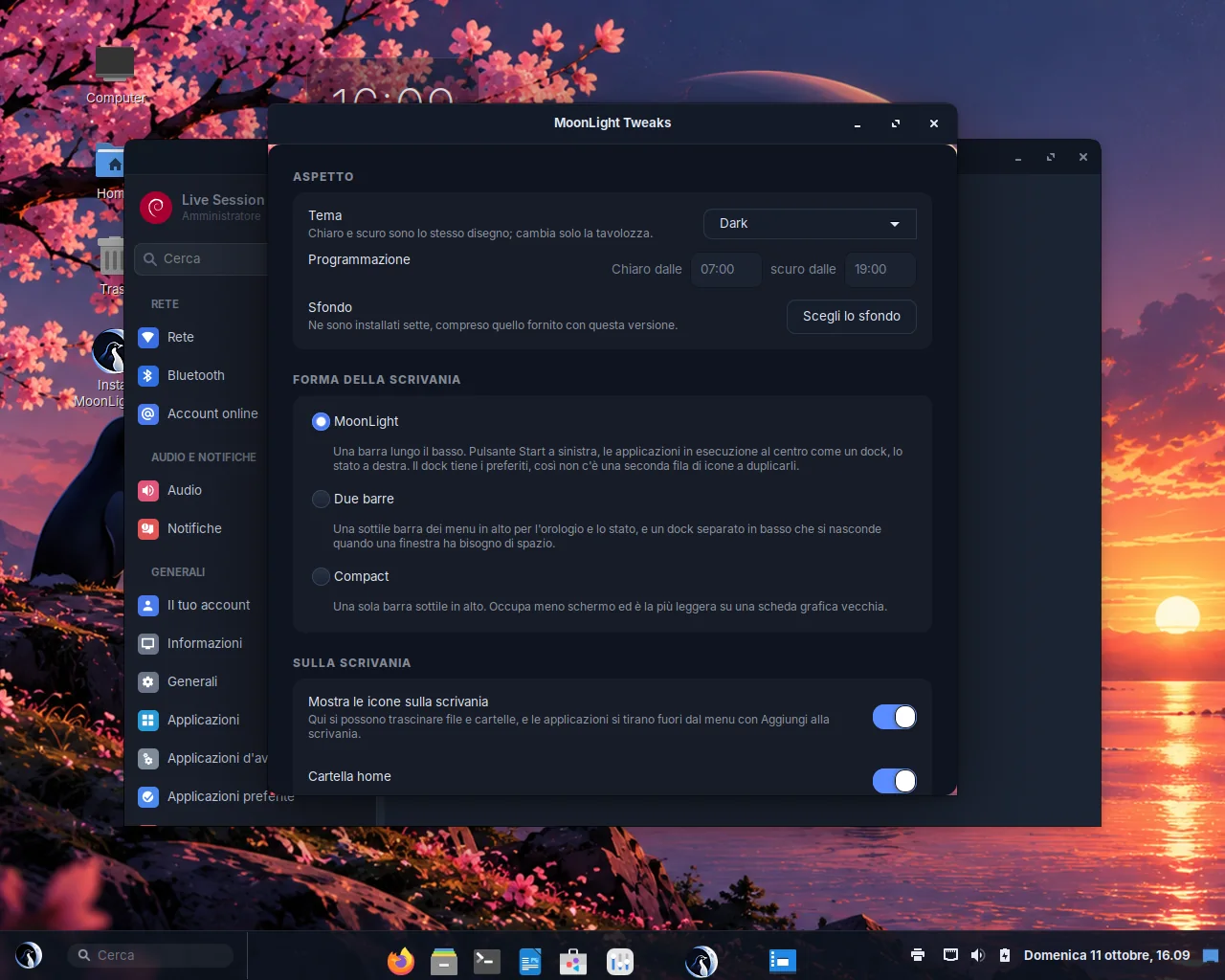
A single panel at the bottom. The dock also holds your favourite applications, so there is no second row of launchers.
A thin bar at the top for the clock and the status icons, and a dock at the bottom that hides automatically.
A single thin bar at the top. It takes the least screen space and is the lightest option on old graphics hardware.
Both themes are generated by one script from one colour palette, covering GTK 2, 3 and 4, the Cinnamon shell and the window borders. The GTK themes import Adwaita and change its colours, so new widgets and upstream fixes arrive automatically. The icon theme is based on Papirus and replaces only the icons that identify the distribution. The accent colour can be changed in Desktop & Dock.
Light from 07:00 and dark from 19:00 by default. A small background service keeps the theme in step with the schedule.
A large clock and a processor, memory and disk monitor are shown by default. A calendar and sticky notes, saved as plain text as you type, can be added with a right-click.
The logo stays still while the light around it pulses. Two halo images with cycles of 2.6 and 3.1 seconds drift in and out of phase, so the glow never looks mechanical. Both are generated from the source artwork at build time, and the same logo and halo appear on the GRUB menu, the login screen, the installer, the About page and the Welcome tour.
Inter for the interface, JetBrains Mono for code, and Noto for everything else, including Chinese, Japanese, Korean and colour emoji.
Five photographic scenes with a penguin, a lake and a crescent moon, plus a generated day and night pair. The release ships with “Sunset over the lake”.





Windows and macOS use different keyboard shortcuts for almost everything. Since the two sets hardly ever conflict, MoonLightOS supports both: the Super key follows the Windows conventions and the Control key follows the Mac conventions.
| Action | Coming from Windows | Coming from macOS |
|---|---|---|
| Open the menu | Super | Super |
| Search | Super+Space | Super+Space |
| Files | Super+E | — |
| Lock the screen | Super+L | Ctrl+Super+Q |
| Show the desktop | Super+D | Ctrl+Super+D |
| Snap a window to a half | Super+Left / Right | — |
| Maximise / restore | Super+Up / Super+Down | Alt+F10 / Alt+F5 |
| Minimise | Super+H | Alt+F9 |
| Close a window | Alt+F4 | Super+Q |
| Full screen | Super+F | Ctrl+Super+F |
| Cycle windows | Alt+Tab, Super+Tab | Alt+Tab |
| Next window of this app | Alt+` | Super+` |
| All windows | Super+W | Ctrl+Up |
| All desktops | Super+S | Ctrl+Down |
| Switch desktop | Ctrl+Alt+Left / Right | Ctrl+Left / Right |
| Move a window to another desktop | Ctrl+Shift+Alt+Left / Right | Ctrl+Shift+Left / Right |
| Settings | Super+I | Super+, |
| System monitor | Ctrl+Shift+Esc | — |
| Run a command | Super+R, Alt+F2 | — |
| Terminal | Ctrl+Alt+T | Ctrl+Alt+T |
| Browser | Super+B | Super+B |
| Calculator | Super+C | Super+C |
| Sound mixer and equaliser | Super+A | Super+A |
| Clipboard history | Super+V | Super+V |
| Notes | Super+N | Super+N |
| Convert files | Super+Shift+C | Super+Shift+C |
| Screenshot of the whole screen | Shift+Super+3 | |
| Screenshot of a region | Shift+Print | Shift+Super+4 |
| Screenshot of a window | Alt+Print | — |
| Capture and recording panel | Ctrl+Shift+Print | Shift+Super+5 |
| Log out | Ctrl+Alt+Delete | — |
Moving the pointer into the top-left corner opens the window overview. The Super key alone opens the menu, and Super+Space opens it with the cursor already in the search box.
apt, snap and Flatpak are all installed, and GNOME Software lists all three: snaps first, then packages from the Ubuntu repository, then Flathub. A .deb package is always the lightest option, and Flathub covers everything else.
The Snap Store application is itself a snap whose dependencies amount to about a gigabyte, too much to include in an image intended for computers with 2 GB of RAM. The store can therefore list and install snaps from the first start, and a service downloads the Snap Store application itself once a connection is available.
The Applications settings page shows what is installed, which of the three formats each application came from, and whether anything is installed twice.
Chosen so that a general-purpose desktop works from the first start, even without an internet connection.
Firefox (Mozilla's own build, with uBlock Origin bundled as a local extension so it is available even offline), Thunderbird, Geary, Transmission
LibreOffice Writer, Calc, Impress and Draw; Evince; GNOME Text Editor; Xournal++; PDF Arranger; MoonLight PDF; Calendar; Clocks; Weather; Maps; Calculator
VLC; Celluloid; Rhythmbox; GStreamer with libav, the “bad” and “ugly” plugin sets and VA-API, so H.264, H.265 and AAC play in every application
GIMP; Drawing; Eye of GNOME; MoonLight Export; Simple Scan; Font Viewer; Screenshot
GNOME Software; System Monitor; Disks; GParted; Disk Usage Analyzer; Timeshift; Redshift; File Roller; Seahorse; Blueman; Printers; MoonLight Tweaks
NetworkManager with OpenVPN, OpenConnect (Cisco AnyConnect, GlobalProtect, Fortinet), L2TP, PPTP, SSH and built-in WireGuard support
Visual Studio Code; gcc, g++, make, gdb; git, git-lfs; cmake, meson, ninja; Python 3 with pip, venv, NumPy and OpenCV; Node.js and npm; Rust and Cargo; Go; OpenJDK 21 with Maven and Gradle; Docker Engine, Compose v2 and Buildx; SQLite
GNOME Terminal; bash, zsh and fish; tmux, screen; Neovim, nano; ripgrep, fd, jq, yq, htop, btop, ncdu, tree; nmap, dig, whois, traceroute, httpie, socat; rsync, rclone, aria2; shellcheck; inxi, fastfetch
Wine with 32-bit support, winetricks, DXVK (Direct3D 9 to 11) and VKD3D (Direct3D 12)
The complete linux-firmware set, Intel and AMD microcode, and fwupd for firmware updates.
Mesa with Vulkan, VA-API and VDPAU for Intel and AMD. The NVIDIA driver is included on the ISO, so it can be enabled from the Drivers page even without an internet connection.
More than fifty wireless drivers in the kernel, plus the broadcom-sta and r8168 drivers built with DKMS for the chips the standard drivers handle poorly.
CUPS with the full driver set, printing to PDF, SANE and Simple Scan.
BlueZ, Blueman and the PipeWire Bluetooth codecs, with a settings page that clearly says when the computer has no Bluetooth hardware.
PipeWire with WirePlumber, PulseAudio compatibility and a built-in ten-band equaliser.
power-profiles-daemon, thermald, the battery percentage in the panel, tap-to-click and natural scrolling enabled by default, Wacom and Synaptics input support.
Guest tools for VirtualBox, QEMU/SPICE and VMware are included, so the display resizes and the clipboard is shared.
fprintd, libfprint and the TOD loader are installed and integrated with PAM. MoonLight Fingerprint identifies the sensor and guides you through enrolment.
Face unlock based on OpenCV for the login screen, the lock screen and sudo. Disabled until you turn it on.
Everything below is enabled by default on an installed MoonLightOS system.
Firmware → Canonical shim → signed GRUB → signed kernel. Settings → About shows whether it is enabled on your computer.
LUKS2 full-disk encryption is a single checkbox in the installer.
ufw is enabled: incoming connections are blocked and outgoing connections are allowed.
Enforcing mode, including for snaps.
From Ubuntu's security repository and packages.mozilla.org, every day. Unused kernels and dependencies are removed, and the computer never restarts on its own.
The first user account administers the computer through sudo. No root password is ever set.
At least eight characters from two character classes. After eight wrong attempts the account is locked for fifteen minutes.
The kernel is configured to limit what unprivileged programs can learn about the system and about each other: kernel pointers and boot messages are hidden, debugging another process is blocked, and loading a replacement kernel at runtime is disabled. The network stack is hardened against spoofed routes and connection floods, and IPv6 addresses are rotated.
FireWire and a set of rarely needed file system and network protocol modules cannot be loaded automatically, so a device that is plugged in or a packet that arrives cannot pull in code this computer never uses.
The machine ID and the SSH host keys are generated on the installed computer. A host key shared by every installation would make host verification pointless.
The crash and usage reporting services are not on the image at all. Firefox telemetry, studies, Pocket and sponsored content are disabled by policy, and tracking protection is enabled.
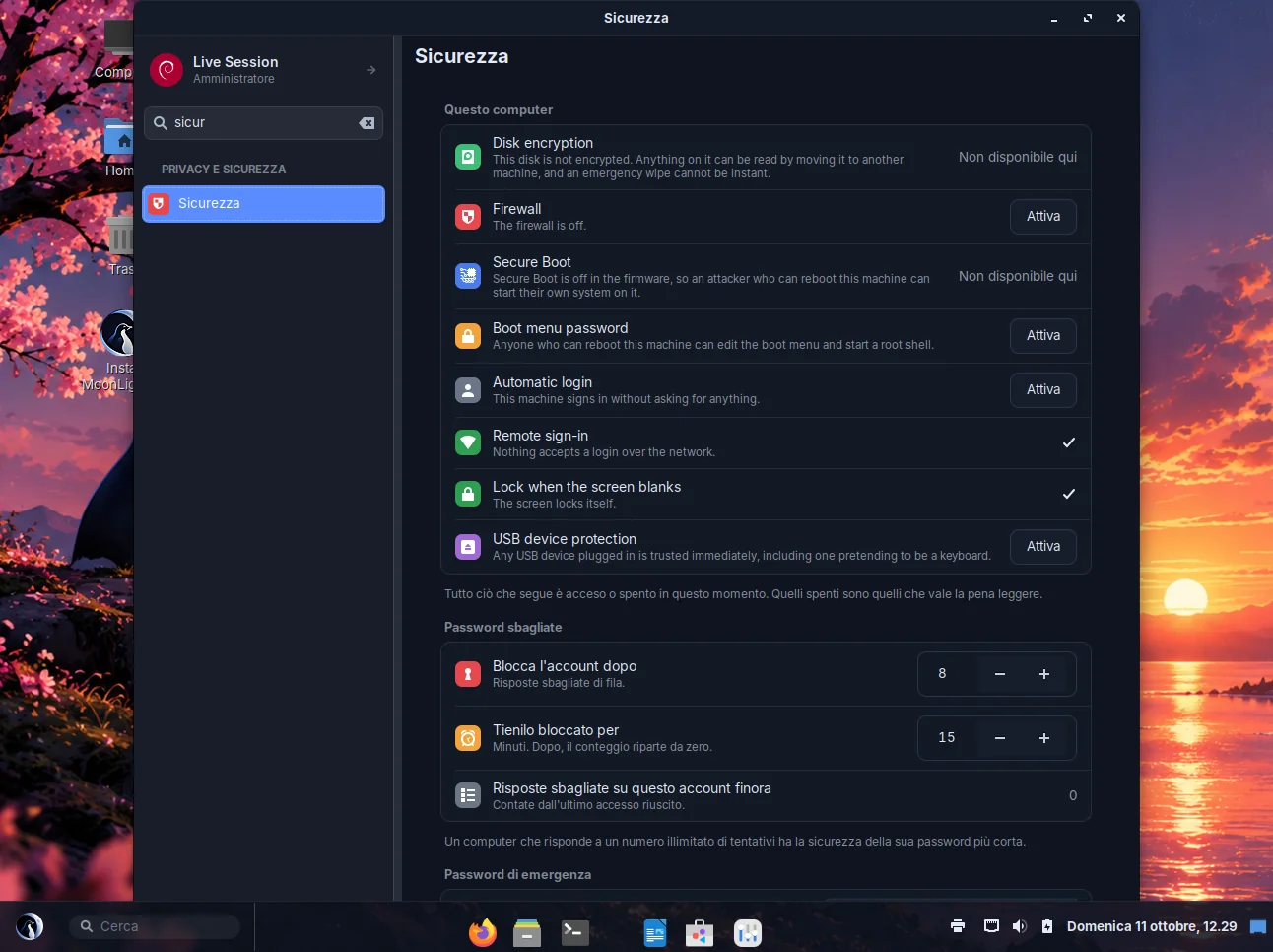
USBGuard is installed, so a device plugged in while the screen is locked is not trusted. Disabled by default; one button on the Security page enables it.
A second password that does something other than log you in. Wipe mode destroys the disk's LUKS keys and powers the computer off; decoy mode opens an empty session and freezes it after five minutes. Disabled by default, requires your real password to set up, and cannot be the same as the real one.
Offered on the Security page, because anyone who can restart the computer could otherwise edit the boot menu and start a root shell.
Every MoonLight helper has a named polkit action, so a password prompt says what you are agreeing to.
| Compressed memory (zram) | Half of the RAM, up to 8 GB, zstd compression, priority 100. Roughly 3:1 compression on desktop memory pages. |
|---|---|
| Swap tuning | The kernel's default of 60 assumes that swapping means a disk access. With zram it means a memory copy. |
| Out-of-memory protection | Acts at 4 % free memory and sends SIGKILL at 2 %. Never stops Cinnamon, Xorg, LightDM or Nemo; stops Firefox, Thunderbird, Code, LibreOffice and compilers first. |
| No indexer | No tracker and no background scanning of the disk. |
| Automatic graphics tuning | At login the system checks the OpenGL renderer. If it is llvmpipe or another software renderer, animations are turned off. A later choice of yours is never overridden. |
| GRUB | Requests a modest graphics mode with fallbacks, so the menu still appears in a virtual machine with little video memory. |
| Squashfs | Compressed with zstd, so the live session loads quickly from a USB stick. |
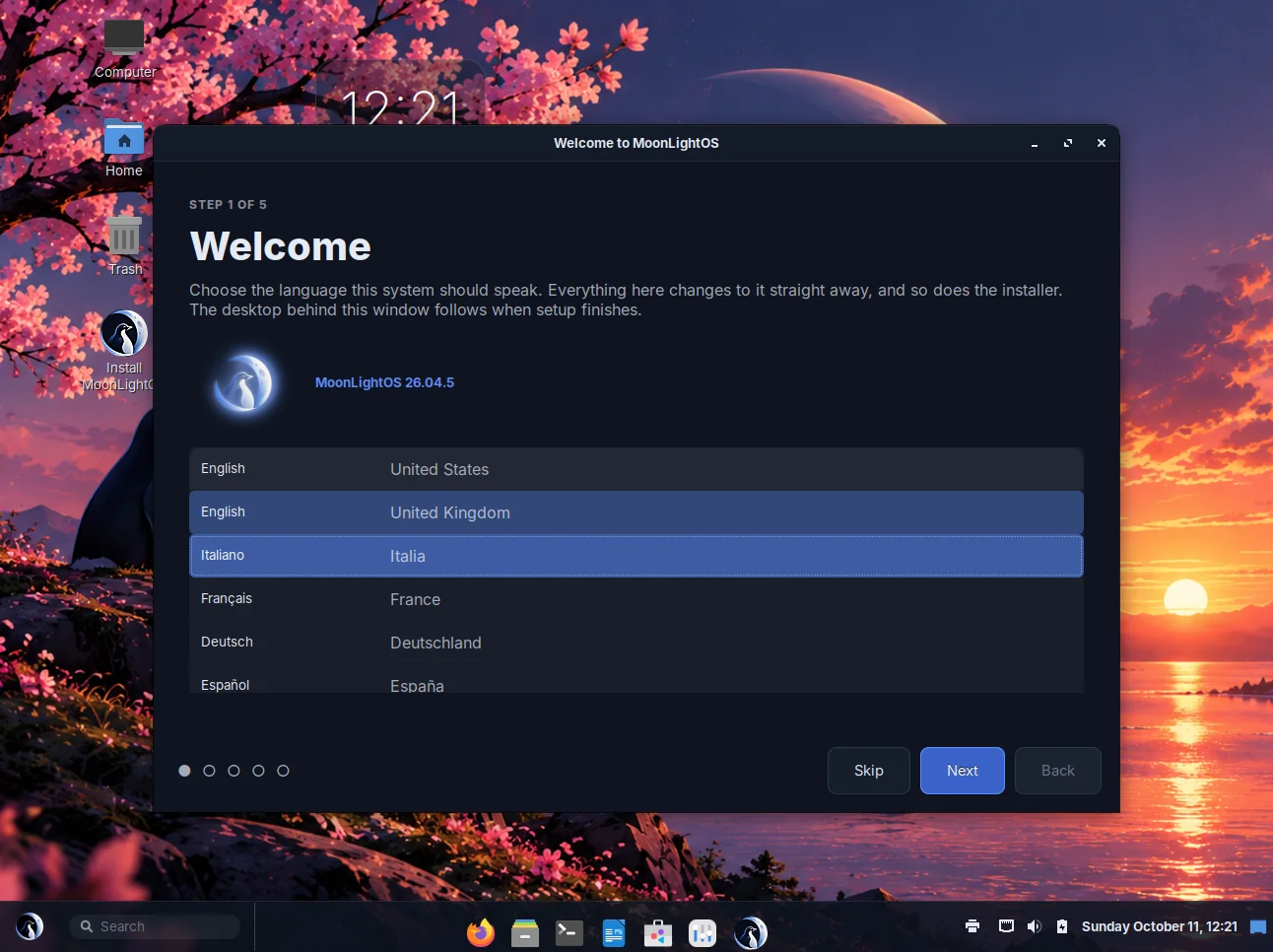
The first-run wizard offers English (US and UK), Italian, French, German, Spanish, Brazilian Portuguese, Dutch, Polish and Russian in a short list, and every other locale under “More languages”. The keyboard layout follows the chosen language, so the second step usually only needs a click on Next.
All MoonTools, 774 strings in total, are translated into those eight languages in addition to English, and the build fails if a program contains a visible string that is not translated. The Italian language pack and LibreOffice dictionaries are included on the image, so an offline installation in Italy is fully localised; other language packs can be downloaded with one click.
The command-line tools deliberately stay in English: their output is read next to documentation and pasted into bug reports, and that is easier in one language.
A theme written by hand breaks every time GTK adds a widget. This one inherits upstream's fixes.
A Cinnamon update cannot silently restore it next to ours, and removing the MoonLightOS packages would bring it back cleanly.
The same squashfs is what the installer copies to the disk. Removing /boot from it would install a system that cannot start.
Debian's desktop-base package already ships a Plymouth theme named moonlight, and an update would silently replace the animation.
A policy pointing at addons.mozilla.org installs the extension only the first time Firefox runs with a working connection. The extension is included in the image, and you can still remove it.
On Linux, Docker Desktop runs the engine inside its own virtual machine, which means a second kernel and a second memory budget on a laptop.
Virtual machines, PHP with databases and LaTeX are one click away in Welcome, instead of a gigabyte that every installation would carry.